Prepare Your Tools
Here is our plan for this lesson:
- Check what you already have: CLI, sign-in, skills.
- Install whatever is missing.
- Verify that your agent recognizes UiPath tasks.
Goal
A working setup before the exercise starts: the latest uip CLI installed and authenticated, the UiPath skills added to your coding agent, and one quick check that proves the agent knows how to build with UiPath. If you have done a UiPath coding-agents session before, this page is a five-minute checkup.
What the agent needs to build on UiPath
A coding agent already knows how to write code, out of the box. What it doesn't know is the UiPath platform: its CLI commands, components, code structures and conventions.
Two pieces fix that:
- UiPath CLI (
uip) is the interface the agent uses to talk to the platform. A command-line interface turned out to be the most token-efficient way to expose UiPath to an agent. - Skills teach the agent to use that CLI well. Each one packs product context, commands, validation rules and best practices, so you can ask for an outcome instead of memorizing command sequences.
- Together with your session and permissions, this wrapper around the agent is the harness: the controlled environment of context, tools and checkpoints an agent works inside. You are about to assemble one.
flowchart TD
    subgraph YU ["You"]
        D["Describe your <b>Task</b><br>in plain English"]
    end
    subgraph CA ["Coding Agent"]
        L["Loads <b>UiPath Skills</b><br>Validates <b>UiPath Tools</b>"]
    end
    subgraph CL ["UiPath CLI & Skills"]
        C["Build & Validate<br>Publish & Deploy<br>Monitor & Manage"]
    end
    subgraph PL ["UiPath Platform"]
        P["Orchestrator, Data Fabric, IS Connectors, Maestro, etc."]
    end
%% Direct vertical connections between the blocks
YU --> CA
CA --> CL
CL --> PLSteps
1. Check what you have
If all four answer sensibly, skip to step 5. Otherwise, do only the steps you're missing.
2. Install the UiPath CLI
Install the CLI globally. This gives you the uip command.
3. Sign in
Authenticate once in the browser. Your coding agent reuses this same session, so it acts as you on the platform.
4. Install the UiPath skills
uip skills install adds the skills to the agent you name:
The installer walks you through selecting skill bundles. Pick the ones this workshop uses; the seed's CONFIG.md has the exact list.
Good to know
The skills registry is public on GitHub, so this step needs no login. You don't need to install platform tools first either: your agent installs them on first use.
A few commands to keep handy:
uip update updates the tools and refreshes the installed skills too. Run it between blocks, never while your agent is working.
uip --help and uip <command> --help are your best friends, right after your coding agent.
5. Verify the setup
Run your agent with the skills installed and ask it for an outcome, not a command:
A correctly set-up agent will use the tools and give you the answer. If it doesn't recognize UiPath tasks, restart your coding agent once so it reloads plugins.
Identity and permissions
Sessions, security, and what the agent may do
Everything the agent does goes through the uip CLI, and the CLI is signed in as exactly one identity: yours. It cannot reach anything your account cannot reach, and no setting makes it safer than your account. Three habits follow:
- Approve commands as they come, and allow the build loop once. Avoid a blanket
uipallow rule, since it also covers destructive commands. Read/list prefixes are fine to approve permanently. Before block 3, allow the loop your agent repeats in every block (pack, publish, deploy, upload) and edits to your seat's owncaseplan.jsonandsdd.md. An agent's safety check can refuse a plain edit of its own case file mid-block, and a block that stops to ask proves nothing. - Keep secrets out of prompts and project files. Credentials belong in a secret store, never in the conversation.
- Review before you deploy. A coding agent does not validate the compliance of generated code; that stays your job.
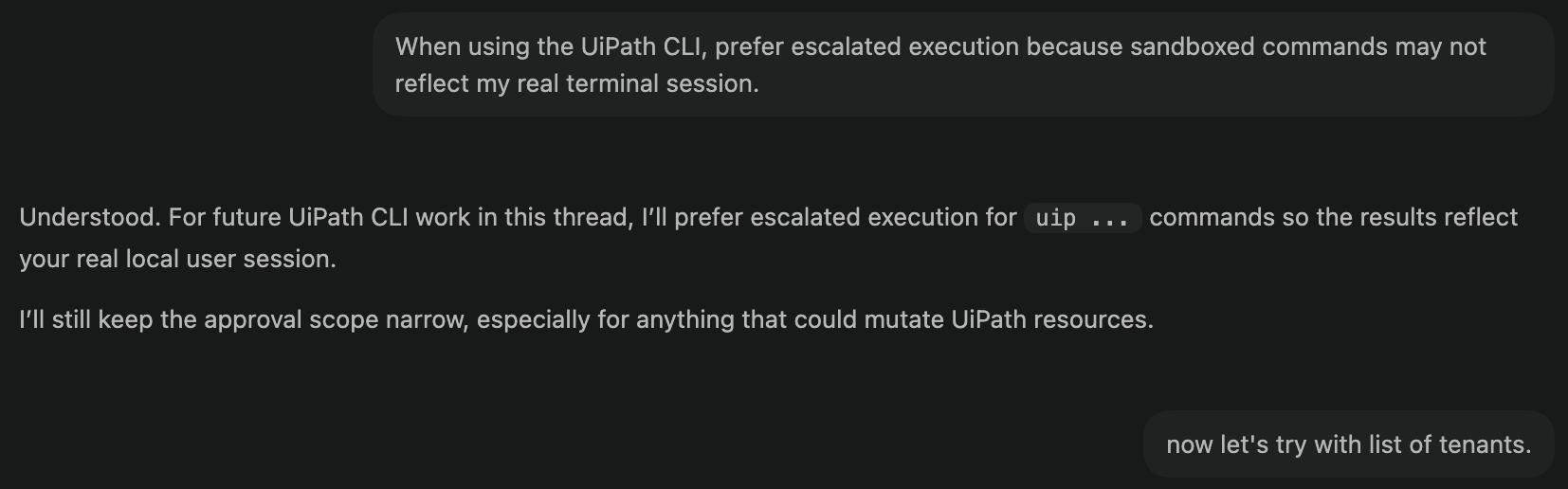
Some agents run commands in isolated environments and may not see your real session. If uip login status works in your terminal but the agent says otherwise, tell it: "When using the UiPath CLI, prefer escalated execution because sandboxed commands may not reflect my real terminal session."
Read more
| Official page | What it covers |
|---|---|
| Coding agents overview | The mental model: agent + CLI + skills |
| Working effectively | Best practices for driving an agent on UiPath |
| Governance and trust | Identity, permissions, telemetry |
| Managing tools and skills | Install, update and pin skills per agent |
Done. Your tools are ready.