Plan
Before anything is built, three documents decide what gets built and how. This section walks you through them: the one you receive, and the two your agent generates.
Why planning gets a whole section
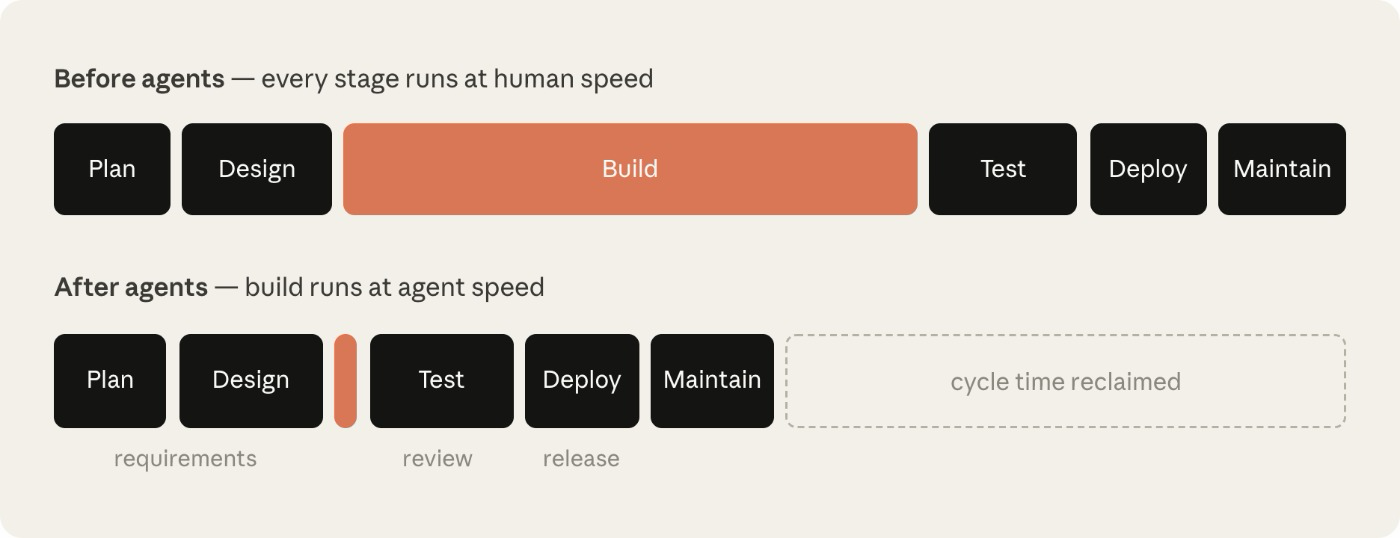
When a coding agent builds, the build stops being the long pole. The stages around it (requirements, review, release) still run at human speed, and they decide whether the speed is usable. That is why this workshop spends a whole section on three documents before anything is built, and another on proving the result: Plan and Design are this section, Build is the six blocks, Test is Verify, Deploy is the hand-over, and Maintain starts with the runbook you leave behind.
The method: PDD → SDD → Tasks
| Document | The question it answers | Written by | Read by |
|---|---|---|---|
| Process Definition Document (PDD) | What does the business do, and what must stay true? | A business analyst, with the process owner | The solution architect. Every design decision traces back to it. |
| Solution Design Document (SDD) | What is the solution, when it runs? | The uipath-planner skill, driven by your agent (block 1) | Every build block. Everything downstream binds to it. |
| The implementation plan (tasks.md) | What gets built, in what order, checked how? | The same skill (block 2) | You and your agent, top to bottom. |
flowchart LR
  BA["Business<br>analyst"] -->|writes| PDD["PDD<br/>(the process)"]
  PDD -->|"uipath-planner"| SDD["SDD<br/>(the solution)"]
  SDD -->|"uipath-planner"| T["tasks.md<br/>(the order)"]
  T -->|"3a–3f"| BUILD["the build"]
  BUILD -->|"4–5"| V["verify &<br>ship"]
Each document exists so the next one has nothing to guess. The SDD is written once and pays off twice: it is the specification the build follows, and afterwards it is the description of what actually runs. That is why the last block brings it to as-built rather than archiving it.
The public UiPath docs describe the same journey as a five-phase automation lifecycle: discovery and planning, building, verification, troubleshooting and running. This workshop skips discovery by providing the PDD, then walks the same path with the documents made explicit.
Coming: a PDD that writes itself
In this workshop the PDD is given. In a real engagement drafting it is real work, and UiPath Cartographer does exactly that: feed it transcripts, SOPs or recordings, and it drafts the AS-IS and TO-BE process maps and generates the PDD, ready for the flow you are about to practice.
In this section
| Step | What it covers |
|---|---|
| 1. The Property Claims Case | The business problem, the documents, and what can be wrong with a claim |
| 2. Read the PDD | A guided tour: where the load-bearing details live |
| 3. Design the Solution | Block 1: your agent generates the SDD, and a gate checks it |
| 4. Plan the Work | Block 2: the SDD becomes an ordered task list |
| 5. Architecture Overview | The whole solution on one diagram, before the build starts |